
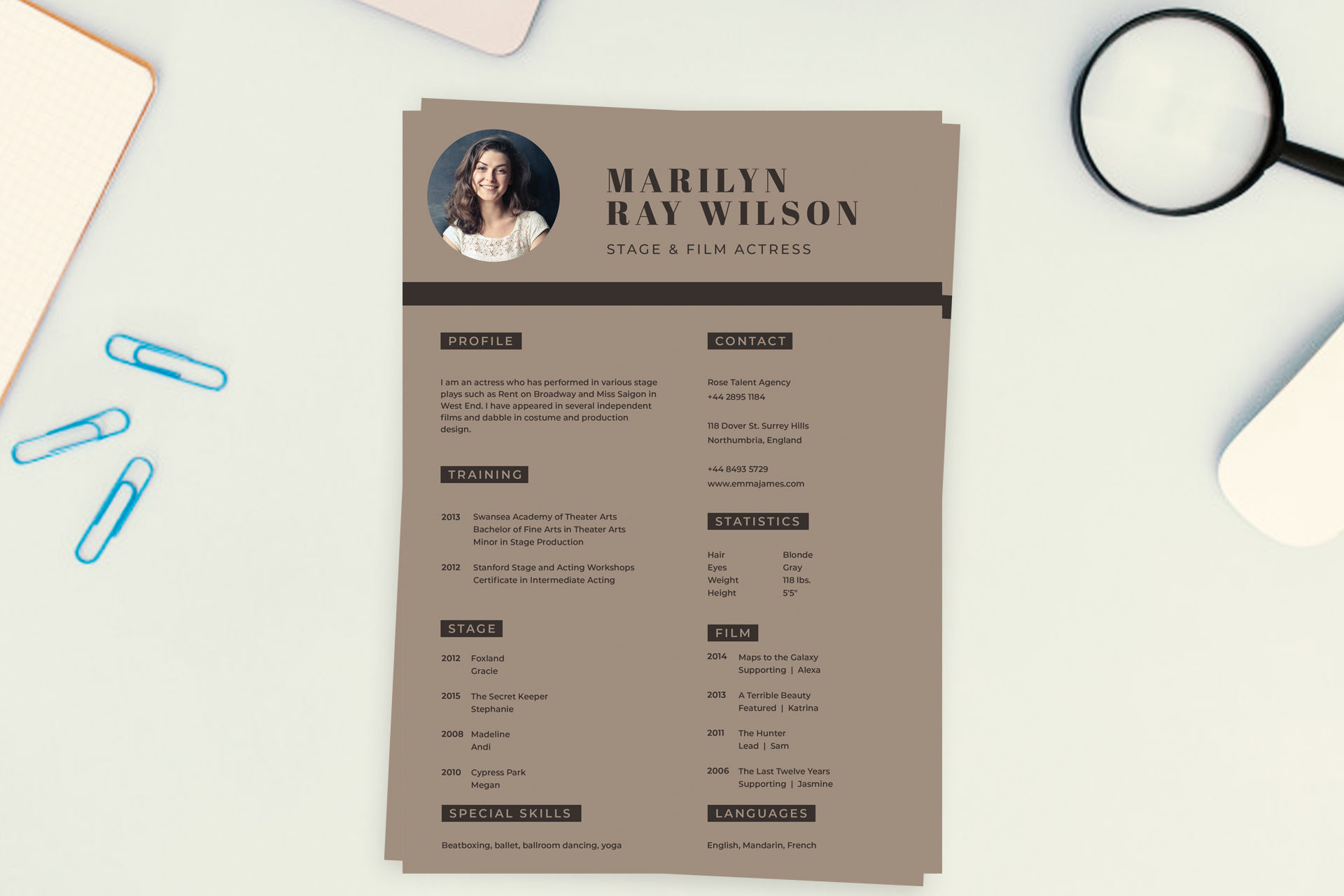
What this template is for
Free Photoshop Resume Template 12 is a warm, editorial resume designed around the needs of performers and other personality-led professionals. The sample is structured as an acting resume, with dedicated areas for profile, representation and contact details, physical statistics, stage credits, film credits, training, special skills, and languages. It is a genuinely fitting choice for actors, voice performers, and presenters who need to combine biographical details with a compact list of credits.
Design details
- A full-page taupe background paired with deep espresso text for a refined, understated color scheme
- A circular headshot in the upper left, balanced by a large two-line serif name and spaced sans serif role title
- A strong dark horizontal divider that separates the identity area from the resume content
- Two broad columns with dark rectangular section labels for quick navigation and specialized blocks for training, contact, statistics, stage, film, special skills, and languages
How to use it
- Download the ZIP file and open the PSD source in Photoshop.
- Replace the circular image with a professional headshot, keeping the face large enough to read clearly.
- Enter your profile and training, then organize stage and film work by year, production, and role.
- Update the contact and representation block. If physical statistics are not relevant to your field, rename that panel for awards, vocal range, equipment, or availability. Keep the special skills and languages sections short, then export a PDF for agents, casting teams, or direct submissions. Preserve the theatrical but composed mood created by the serif display name, practical sans serif copy, and muted brown palette.
Download
Download free-photoshop-resume-template-20.zip
Related templates
Visit the resume hub for practical application guidance, and consult the branding guide when choosing a headshot and personal color palette.
FAQ
Can I edit this resume in Photoshop?
Yes. The text, background colors, section labels, divider, and portrait can all be personalized in Photoshop.
Is this only for actors?
No. The credit-based structure can also work for voice artists, dancers, models, presenters, and other performers with project lists.
What should I do if I have many credits?
Select the most relevant or recent credits for this one-page version. Keep a complete master list separately and tailor each exported resume to the opportunity.








