
What this template is for
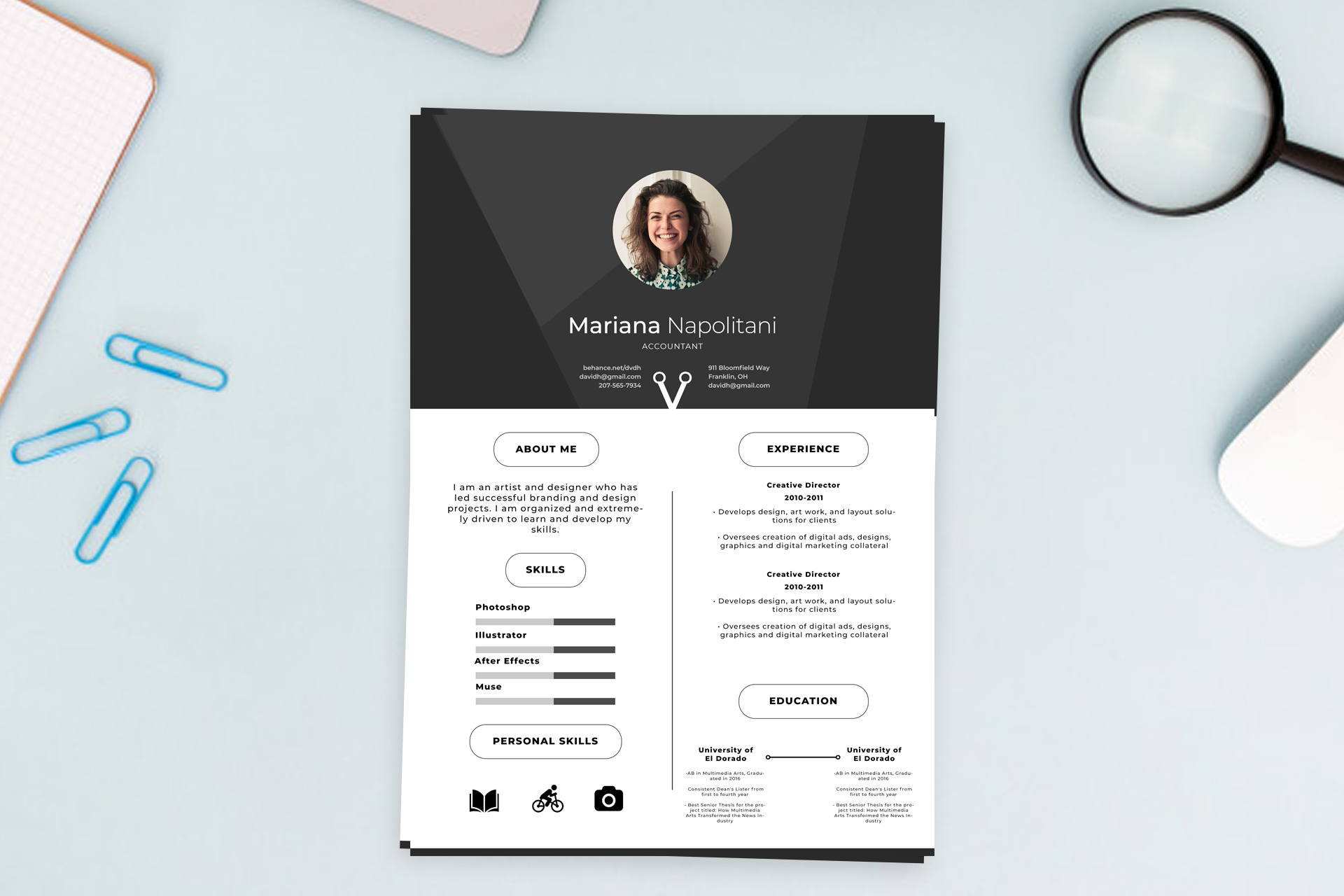
Free Photoshop Resume Template 11 is a polished one-page resume for creative professionals who want a formal black-and-white presentation with a little visual personality. Its centered portrait and strong nameplate make a memorable first impression, while the lower two-column layout keeps the practical information easy to scan. It is especially well suited to graphic designers, art directors, and branding specialists whose applications benefit from a portfolio-minded look without bright color.
Design details
- A charcoal header built from layered geometric panels, with a circular headshot centered above the name and job title
- A crisp white lower section divided into two balanced columns for profile, skills, work history, and education
- Rounded outline labels that give section headings a neat, badge-like appearance
- Horizontal proficiency bars for software skills, plus bold hobby icons that add a personal finishing touch. Clean sans serif typography uses generous letter spacing and a restrained monochrome palette
How to use it
- Download the ZIP file and open the PSD source in Photoshop.
- Replace the circular portrait with a tightly cropped, well-lit headshot that remains clear at a small size.
- Update the name, professional title, summary, experience, education, and contact details. Keep entries concise so the airy spacing is preserved.
- Rename the software skills and adjust each bar to reflect your actual proficiency. Replace the personal-interest icons if needed. Export a high-resolution PDF for applications and a JPG for portfolio previews or social sharing. The result should retain the modern, confident, slightly editorial mood created by the prominent dark header and airy white content area.
Download
Download free-photoshop-resume-template-12.zip
Related templates
Explore the resume hub for application advice, or use the branding guide to coordinate the typography, portrait, and monochrome styling with your portfolio.
FAQ
Can I edit this resume in Photoshop?
Yes. You can replace the portrait, edit all text, change the charcoal tones, revise the skill bars, and customize the icons in Photoshop.
What kind of photo works best?
Use a square head-and-shoulders portrait with the face centered. A simple background and clear contrast will work best inside the circular crop.
Who is this layout best for?
It fits designers, creative directors, and visual brand professionals who need a stylish one-page resume with room for both technical skills and personal interests.








