
What this template is for
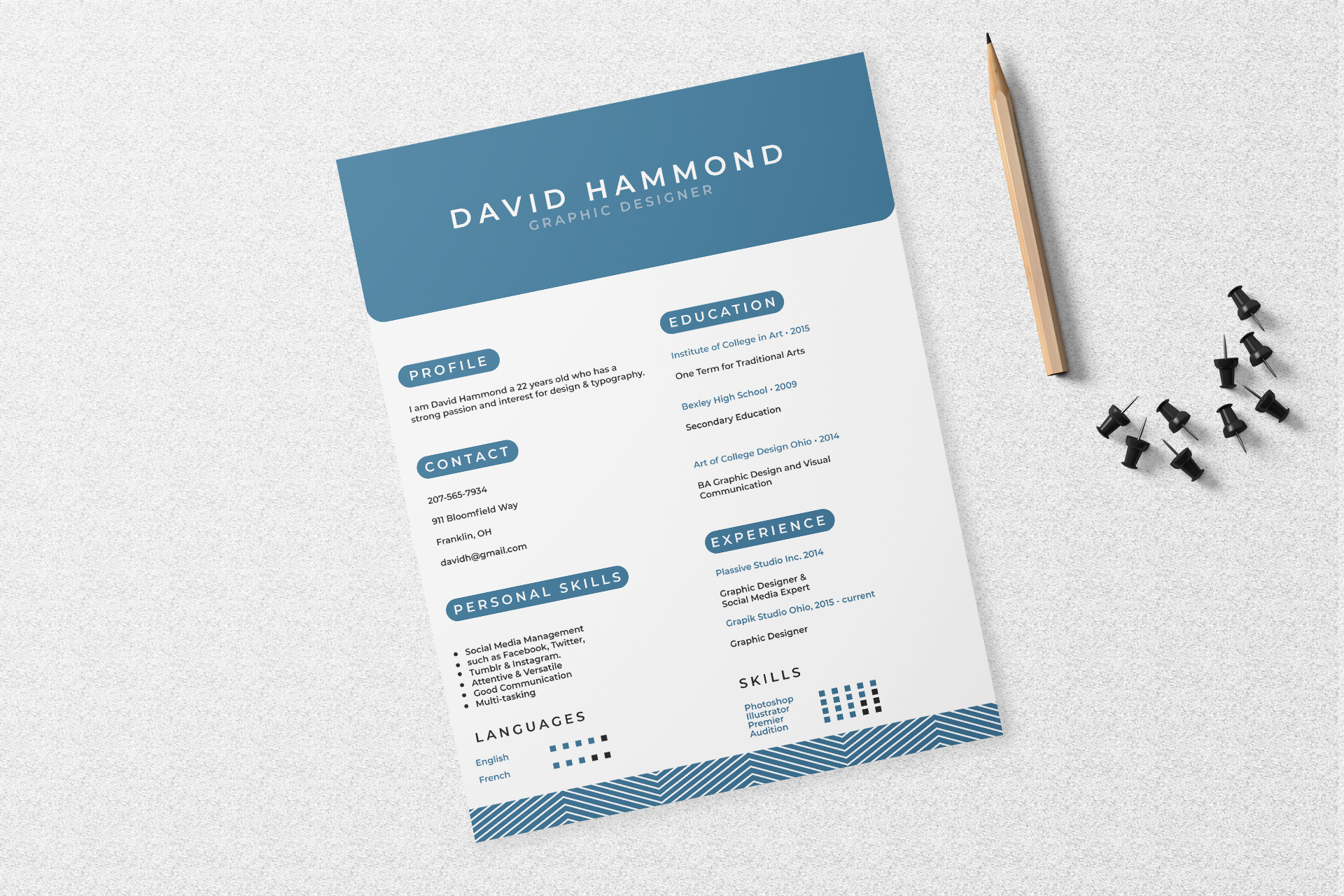
Free Photoshop Resume Template 9 is a crisp two-column resume with cool blue accents and playful geometric details. The pill-shaped section labels, rounded header corner, and patterned footer make it contemporary without sacrificing clarity. It is genuinely suited to graphic designers, social media specialists, and early-career marketing creatives who need a polished one-page overview of skills, education, and experience.
Design details
- A broad blue header with the candidate name in widely spaced white capitals and the role underneath
- A two-column body with profile, contact, personal skills, and languages on the left
- Education, experience, and software skills arranged in the right column
- Rounded blue capsules behind section titles for consistent, highly visible navigation
- Blue text highlights for institutions, dates, and employers
- Small square rating grids for languages and software, plus a blue chevron pattern across the footer
The design uses an airy white page and slim sans serif copy, giving the content a light, accessible feel. Its diagonal geometric footer adds energy, while the rest of the page stays orderly and easy to scan. There is no portrait, making it a useful option for candidates who prefer a fully typographic personal presentation.
How to use it
- Download the ZIP and open the PSD file in Photoshop.
- Replace the name, job title, profile, and contact information, then edit both columns from top to bottom.
- Keep education and experience entries compact so the lower skill area remains visible.
- Adjust the square rating grids to match your real language and software proficiency.
- Change the blue accent if desired, but apply the new color consistently to labels, highlighted text, grids, and footer pattern.
- Export the completed resume as a PDF for sharing.
Download
Download free-photoshop-resume-template-105.zip“>Download resume9.zip
Related templates
Use the resume hub to improve the writing and the branding guide to select an accent color that complements your portfolio.
FAQ
Can I edit this resume in Photoshop?
Yes. All key text, blue design elements, and skill indicators can be personalized in Photoshop.
What should I change first?
Update the headline and profile first, then tailor education, experience, and skills to the specific vacancy.
Can I use it for job applications today?
Yes. The one-page layout is suitable for direct PDF applications, networking attachments, and creative portfolio packages.








