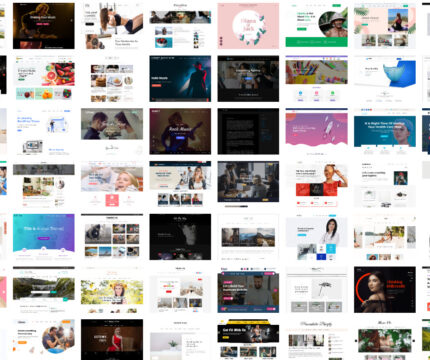
Ten free WordPress themes for creative bloggers, matched to the blog you’re actually writing. One caution first: a theme that looks gorgeous in the preview can be a nightmare to edit once your own words are in it.
Your blog isn’t just a space to share your thoughts. It’s the first thing a reader judges, usually in about three seconds, before they’ve read a word.
The good news: you don’t need to spend a fortune to make that first impression land. These free WordPress themes are genuinely usable, not just pretty screenshots. The trick is picking the one that fits how you actually publish, so I’ve sorted each pick by the job it does best.
Why Use WordPress for Blogging?
WordPress powers over 40% of all websites, and W3Techs has tracked it holding roughly 43% of the CMS market for years. That scale has a practical upside for a blogger: almost every problem you hit has already been answered in a forum somewhere.
- Customizable: Endless themes and plugins to make your blog unique.
- User-Friendly: Intuitive interface for beginners and pros alike.
- SEO-Ready: Built-in features and plugins to optimize your site for search engines.
- Scalable: Easily grow your blog as your audience expands.
- Free Options: Access to thousands of free themes and tools.
What to Look for in a WordPress Theme for Bloggers
When choosing a WordPress theme, consider these key features:
- Responsive Design: Ensure your blog looks great on all devices.
- Customizability: Easy-to-edit layouts, colors, and fonts.
- SEO Optimization: Built-in tools to help your content rank.
- Speed: Fast-loading themes improve user experience and SEO.
- Integration: Compatibility with plugins like Yoast SEO and social sharing tools.
One more thing that doesn’t fit in a bullet: run the demo with your content before you commit. Paste in a 900-word post with three images and a long title. If the layout collapses, better to find out now than after you’ve told everyone your new site is live. For a longer version of this vetting process, my guide to picking from a huge pile of free WordPress themes walks through it step by step.
Top 10 Free WordPress Themes for Creative Bloggers
1. Ashe
Ashe is a clean, elegant theme perfect for lifestyle, food, and personal blogs. It keeps the reading column narrow and the photography large, which is the right order for a blog where the pictures do half the talking.
- Best for: Creatives who want a minimal yet stylish design.
- Key Features: Responsive, WooCommerce compatible, and customizable headers.
- Get it here: Ashe Theme
2. Neve
Neve is a lightweight, multipurpose theme with a sleek design. The one-click demo imports are the selling point here: you get a working site to react to instead of a blank canvas, which suits anyone who finds an empty editor paralysing.
- Best for: Bloggers who want speed and flexibility.
- Key Features: Mobile-first design, SEO-friendly, and one-click demo imports.
- Get it here: Neve Theme
3. Hestia
Hestia is a modern, one-page theme perfect for personal or creative blogs. The one-page layout is a deliberate constraint: you have to decide what matters most and cut the rest, which is often the edit a portfolio-style blog needs.
- Best for: Bloggers showcasing visuals or portfolios.
- Key Features: Responsive design, customizable layouts, and integration with Elementor.
- Get it here: Hestia Theme
I’ve gone deeper on this one in my Hestia theme review if you want the full walkthrough before installing.
4. Astra
Astra is a fast, lightweight theme built for speed and simplicity. It’s also the safest choice if you plan to add page-builder plugins later, because the base stays lean and doesn’t fight the builder.
- Best for: Beginners who want an easy-to-use theme.
- Key Features: Pre-designed templates, WooCommerce support, and SEO optimization.
- Get it here: Astra Theme
5. Hemingway
Hemingway offers a clean, two-column layout for writers and storytellers. It strips away the sidebar clutter in favor of typography, which is exactly what you want if your posts run long and your readers actually finish them.
- Best for: Bloggers focused on written content.
- Key Features: Retina-ready, responsive design, and minimalist aesthetics.
- Get it here: Hemingway Theme
6. Writee
Writee is a simple yet stylish theme designed for bloggers who love writing. The featured slider gives a travel journal or personal blog a front page that changes with each new post, without you rebuilding the layout.
- Best for: Personal blogs, travel journals, and creative writing.
- Key Features: Custom widgets, responsive design, and featured slider.
- Get it here: Writee Theme
7. Olsen Light
Olsen Light is a visually stunning theme perfect for fashion and lifestyle bloggers. It’s the most style-forward pick on this list, and the one most likely to make a new blog look established on day one.
- Best for: Bloggers focused on aesthetics and branding.
- Key Features: Social media integration, customizable fonts, and SEO-friendly.
- Get it here: Olsen Light Theme
8. Bard
Bard is a versatile theme with a clean design, ideal for storytelling. It handles long-form personal essays without turning them into an intimidating wall of text, and the WooCommerce support means you can sell something later without switching themes.
- Best for: Bloggers sharing personal experiences or lifestyle tips.
- Key Features: Responsive design, WooCommerce support, and customizable widgets.
- Get it here: Bard Theme
9. Baskerville
Baskerville is a grid-style theme perfect for content-heavy blogs. The masonry layout is the reason to pick it: galleries, video posts, and photo essays sit together without awkward gaps, and readers can scan several posts at once.
- Best for: Bloggers who post multimedia content like videos and galleries.
- Key Features: Retina-ready, responsive design, and masonry layout.
- Get it here: Baskerville Theme
10. Radiate
Radiate is a clean, modern theme with parallax header support. Use the parallax header once, on the home page, with a strong image. That’s the whole trick, and it’s enough.
- Best for: Bloggers looking for a sleek, professional design.
- Key Features: Custom header image, responsive design, and customizable colors.
- Get it here: Radiate Theme
How to Install and Customize These Themes
- Choose a Theme: Download your favorite theme from the WordPress directory.
- Install: Go to your WordPress dashboard, navigate to “Appearance” > “Themes,” and upload your file.
- Customize: Use the WordPress Customizer to adjust colors, fonts, and layouts.
- Add Plugins: Enhance functionality with tools like Yoast SEO and social sharing plugins.
- Test Responsiveness: Preview your site on different devices to ensure it looks great everywhere.
Pro Tips for Choosing the Right Theme
- Think About Your Audience: Choose a design that resonates with your readers.
- Prioritize Speed: Avoid heavy themes that slow down your site.
- Focus on Features You Need: Don’t get distracted by extras you won’t use.
- Test Before Committing: Use the live preview feature to see how the theme fits your content.
- Stay Updated: Pick themes that are regularly updated for security and performance.
If design restraint is your thing and you’d rather see fewer, prettier options, I keep a separate list of free WordPress themes for minimal blogging. And if you’re weighing speed against features more broadly, the fastest WordPress themes comparison covers the ones that actually load quickly.
Final Thoughts: Elevate Your Blog with the Perfect Theme
Your WordPress theme sets the tone for your entire blog. With these free options, you can find a design that reflects your style, engages your readers, and helps you stand out in the blogging world.
Explore More WordPress Themes on Creative Market
Now, go customize your blog and share your creative voice with the world. You’ve got this!