
What this template is for
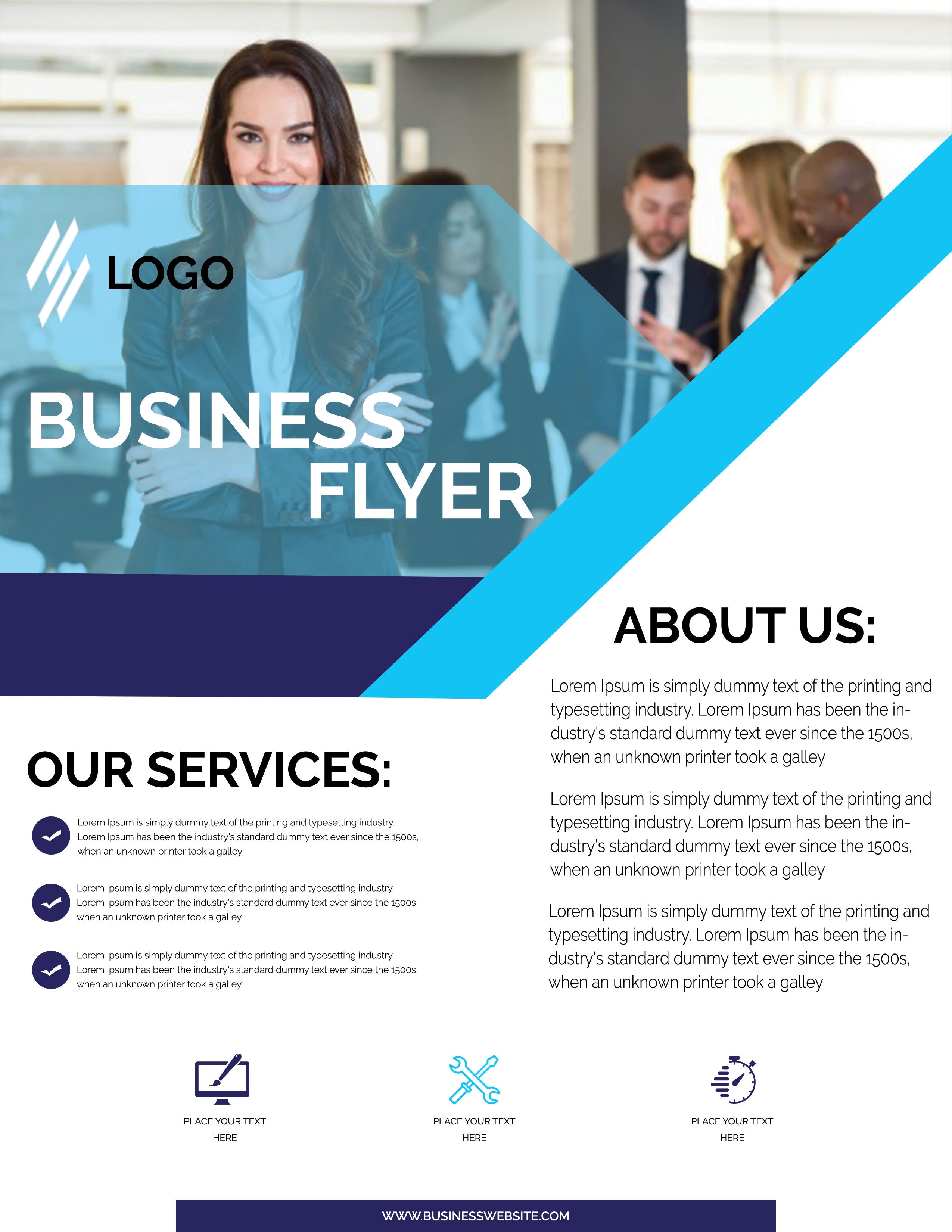
Free Corporate Business Photoshop Flyer Template 23 is a polished company profile flyer built around a confident team photograph and a sharp geometric layout. It is a natural fit for a consulting agency, recruitment company, professional training provider, or corporate event organizer. The page gives equal importance to a memorable introduction, a service list, and an about section, so it works well as a reception handout, sales meeting leave-behind, or digital overview attached to an inquiry.
Design details
- The upper half features a bright office photo with a businesswoman in the foreground and a softly blurred team behind her.
- A translucent cyan polygon overlays the photograph, creating space for a logo and a very large white “Business Flyer” headline without hiding the people completely.
- A deep indigo band and broad diagonal cyan stripe divide the photo-led introduction from the white information area below.
- The lower layout splits into “Our Services” on the left and “About Us” on the right, using bold black sans serif headings and generous margins.
- Three circular check marks organize the service points, while a row of simple monitor, tools, and stopwatch icons provides additional feature callouts.
- A slim indigo website bar anchors the bottom edge and ties back to the strong accent shapes above.
How to use it
- Download the ZIP file, open the PSD in Photoshop, and identify the text, image, and shape layers.
- Insert your logo and replace the main title with a short service promise or campaign name.
- Use a wide workplace portrait with the main person positioned toward the left, preserving the composition created by the diagonal overlay.
- Rewrite the three service bullets, about paragraphs, icon labels, and website address with concise copy that can be read quickly.
- Adjust the cyan and indigo accents to your brand colors, then export for professional printing or as a web-friendly image.
Download
Download free-corporate-business-photoshop-flyer-template-12.zip“>Download Flyer-Design-23.zip
Related templates
Compare more layouts in the best flyer templates roundup, then explore the business flyer hub for other editable company promotions.
FAQ
Can I edit this flyer in Photoshop?
Yes. You can replace the photo, text, logo, icons, and geometric accent colors in Photoshop.
What photo works best in the header?
Choose a bright horizontal office or team image with one clear subject and enough open background for the headline overlay.
How much copy should I add?
Keep the service bullets brief and use two or three short paragraphs in the about column. The design depends on open white space for its professional tone.







