
What this template is for
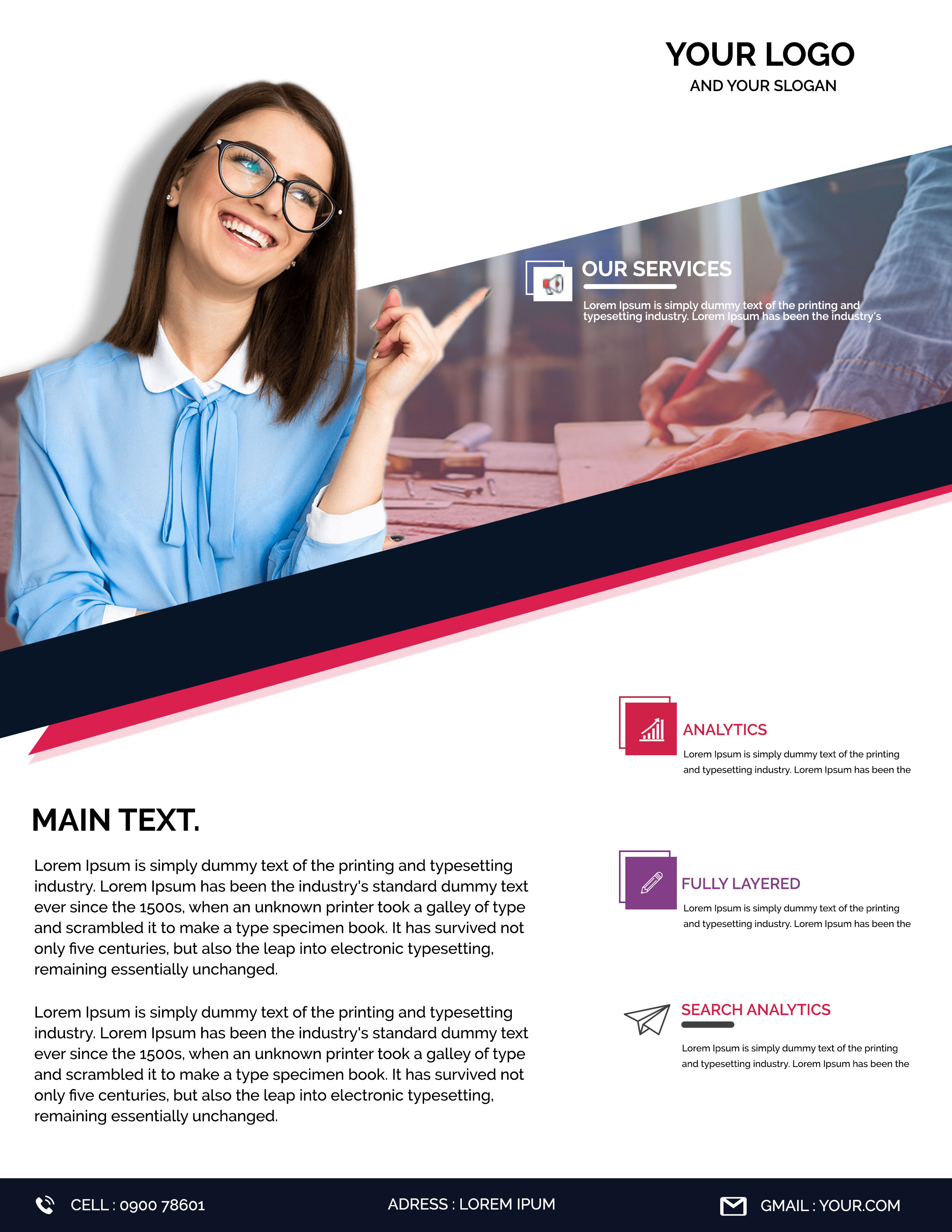
Free Corporate Services Flyer Template for Consulting and Analytics Promotions is a polished Photoshop layout designed to explain several business services on one page. Its friendly office portrait and structured information blocks make it especially suitable for a consulting firm introduction, a marketing analytics service sheet, or an agency capabilities handout. The overall mood is professional but approachable, avoiding the rigid look of a traditional corporate brochure.
Design details
- A smiling woman in a light blue blouse fills the left side of the upper composition and points naturally toward the service message, giving the flyer a personable focal point.
- The top right remains white for a logo and slogan, while an angled workplace photo band carries a white “OUR SERVICES” heading and a short introduction.
- A wide navy diagonal ribbon, edged with vivid magenta and a pale shadow, separates the photographic header from the clean information area below.
- The lower section uses generous white space with a large “MAIN TEXT.” column on the left and three compact feature blocks on the right.
- Red, purple, and dark gray icon treatments distinguish Analytics, Fully Layered, and Search Analytics. Modern sans serif type keeps labels direct and readable.
- A navy footer bar organizes phone, address, and email details into three easy-to-scan contact points.
How to use it
- Download the ZIP file and open the Photoshop source.
- Replace the logo, slogan, company introduction, and contact details before refining the service copy.
- Use the three feature blocks for specific offers such as reporting, campaign strategy, and search performance, keeping each description brief.
- Swap the portrait and office photo with high-resolution images that suit the existing left-subject and wide-banner crops, then export for print or digital distribution.
Download
Download free-corporate-services-flyer-template.zip“>Download Flyer-Design-3.zip
Related templates
Explore the best flyer templates roundup for more one-page layouts, or see the business flyer hub for editable promotional options.
FAQ
Can I edit this flyer in Photoshop?
Yes. You can customize the photographs, logo, headings, body text, icons, accent colors, and footer information in Photoshop.
What should I change first?
Begin with the logo area and “OUR SERVICES” introduction, then rename the three feature blocks. This establishes the company identity and content hierarchy before you adjust smaller details.
Can I use it for print and social media?
Yes. The portrait layout is well suited to printed service sheets and PDF handouts. A full-page image can also be shared online, while individual service blocks can be adapted into separate social posts.







