
What this template is for
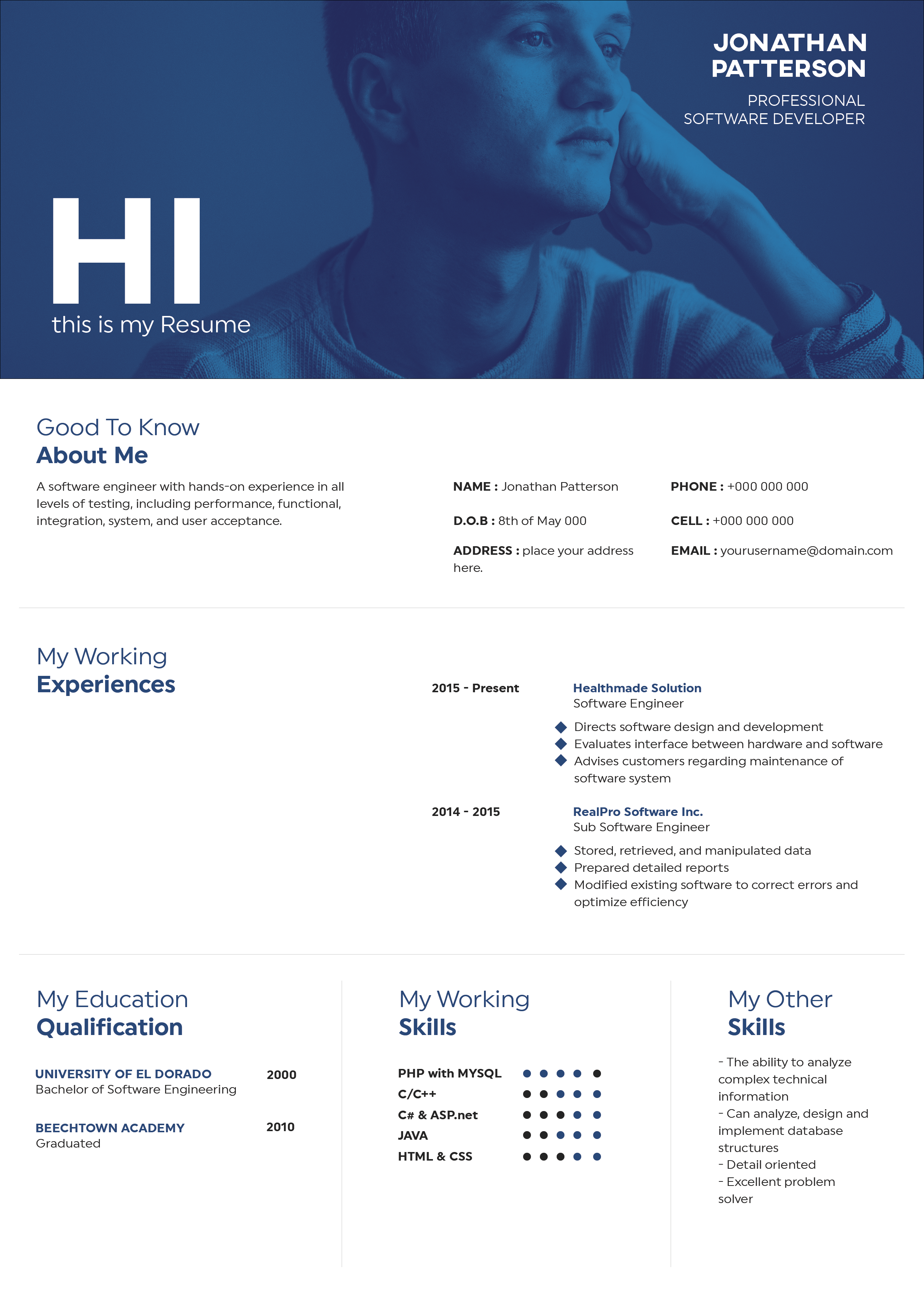
Free Photoshop Resume Template 50 is a high-contrast split resume with a personal white sidebar and an expansive black career panel. The portrait, deep indigo name block, and oversized section titles create a bold portfolio aesthetic while keeping information divided by purpose. It works especially well for graphic designers, illustrators, and editorial or digital artists who want a distinctive creative presentation.
Design details
- A black-and-white foundation with a deep indigo accent beneath the portrait
- A tall left column containing a large rectangular photo, name, profile, interests, and contact details
- A wide black right panel for experience, education, and professional software skills
- Very large uppercase section headings with thin horizontal divider rules
- White body text, bold employer names, right-aligned dates, and simple bullet lists
The visual mood is direct, urban, and contemporary. The image occupies the entire top of the sidebar and works as an editorial portrait rather than a small identification photo. Beneath it, the blue-violet block gives the candidate’s name a memorable stage. Personal information stays on white, while qualifications sit on black, producing an immediate and useful separation. The typography is clean and condensed in feel, with substantial scale changes that make each section easy to locate.
How to use it
- Download the ZIP file and open the PSD source in Photoshop.
- Replace the tall photo with a sharp environmental portrait and crop it to fill the sidebar without stretching.
- Edit the name, profile, interests, contact details, roles, education, and skills.
- Keep experience paragraphs concise and align every date consistently at the right edge.
- Export a high-quality PDF and verify that fine white text remains clear against the black background.
Download
Download free-photoshop-resume-template-62.zip“>Download resume50.zip
Related templates
Visit the resume hub for stronger resume content and the branding guide for help coordinating the indigo accent with your portfolio.
FAQ
Can I edit this resume in Photoshop?
Yes. The source allows full control over the portrait, text, indigo accent, spacing, and black panel.
What kind of photo fits the sidebar?
Choose a vertical or easily cropped environmental portrait with the subject clearly separated from the background. A relaxed creative image suits the editorial layout.
Is white text on black suitable for applications?
It is effective for direct PDF sharing and creative presentations. Print a test copy, and consider a separate plain-text resume when an employer relies heavily on automated screening.






