
Posting consistently is a design problem before it is a marketing problem.
What a social media template is for
Two different jobs get called “social media templates”. The first is a content calendar: the plan of what goes out, when, on which channel. The second is the post design itself: the quote card, the carousel, the story frame. Most accounts need both, and they solve different problems.
The plan stops the account going quiet. The design stops every post looking like it was made at 11pm in a different app. If you only fix one, fix the design first: a consistent-looking feed with three posts a week beats a messy feed with seven.
Start from a small system rather than a hundred options. One headline style, two or three colour combinations, one font pairing, and a template for each of the four post shapes you actually publish: the quote, the tip, the carousel cover and the announcement. That is a brand, and it takes an afternoon.
The guides to read first
- Top Social Media Content Calendar Templates for 2026 – the content calendar guide: the plan behind the posts.
- Best Templates for Designing Stunning Instagram Posts – templates for designing Instagram posts, with the sizes and the layout rules.
- 50+ Free Editable Canva Templates for Social Media – free editable Canva templates for social media, if you do not use Photoshop.
- Top 10 Free PowerPoint Templates for Corporate Presentations – the same design thinking applied to presentation decks.
Free designs to start from
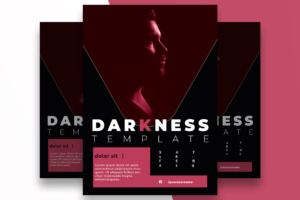
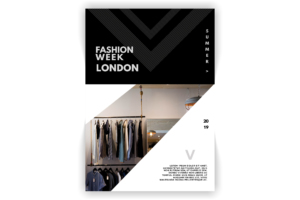
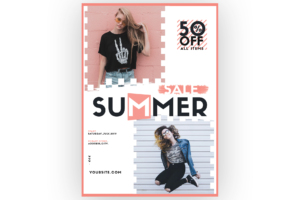
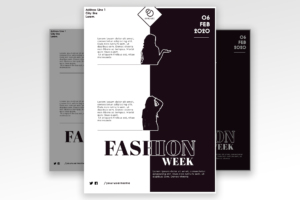
Layered Photoshop files with a working download. The event and promo flyers double as story and announcement templates.
Post shapes and what each one is for
| Shape | Use it for | Watch out for |
|---|---|---|
| Quote card | One idea, no link | Too much text at thumbnail size. |
| Carousel cover | A tip or a list | A first slide that does not promise anything. |
| Announcement | A date, a launch, an event | The date buried in the caption instead of on the image. |
| Story frame | Behind the scenes, polls | Reusing a square post in a vertical frame. |
Questions about social templates
Canva or Photoshop?
Canva if someone without design software has to post daily. Photoshop if you want print-quality files and full control of the type. The templates on this site are PSDs, so they suit the second case.
How many templates do I need?
Four shapes and two colourways is enough for a year. More templates usually means less consistency, not more variety.
What sizes should I export?
1080 by 1080 for the feed, 1080 by 1350 for the taller feed post, 1080 by 1920 for stories and reels covers. Export from one master file so the type stays the same size.
Choosing the site itself? The WordPress theme and hosting guide covers themes, speed and hosts.
More free downloads: calendar and planner templates, and the flyer library.