
Pick the tool by the thing you are trying to finish, not by the demo.
What no-code AI tools are actually good at
The useful split is not “AI or not”. It is between tools that produce something you can ship and tools that produce something you have to rebuild. A page builder that generates a landing page you can edit is in the first group. A text generator that writes a paragraph nobody can trace is in the second.
For a small business, three jobs are worth automating now: a first draft of the copy, a first version of the page, and the repetitive admin around both. Everything else is still faster by hand. The mistake is buying a stack of tools before finishing one page with one of them.
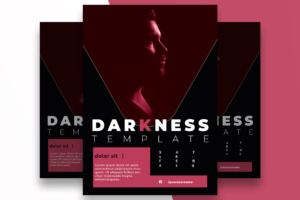
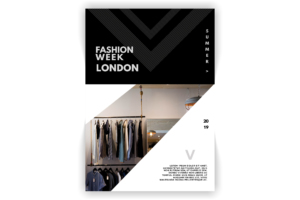
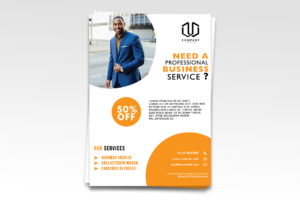
Then the assets. AI can draft the words and the layout, but the template is still what makes it look like a business: the flyer for the launch, the page structure, the sizes. Use the free files below as the shape, and let the tool fill it.
The guides to read first
- 🏆 The Best No-Code AI Tools of 2025 (Ranked) – ten no-code AI tools ranked by what they actually do, with which to skip.
- Love Poem Generator: How to Create Romantic Poetry (With Templates & Examples from Sonnets to Sestinas) – the love poem generator guide, a worked example of editing machine output into something usable.
- Is AI Killing the Design Industry? A Personal Reflection on the End of Templates, Stock Assets, and Traditional Creativity – is AI killing the design industry: the honest version of the question.
- Texture Gradient Cue: How Art and Psychology Shape Our Perception – how art and psychology shape what we see, for the design judgement the tools do not have.
Free templates to build the thing
Layered Photoshop files with a working download. The tool writes the page; the template decides whether it looks like a business.
Which tool for which job
| Job | Use | Skip when |
|---|---|---|
| First draft of copy | Any general model | You need a legal or medical claim. |
| A whole landing page | A page builder with AI generation | The layout has to match an existing brand exactly. |
| Images and mockups | An image model, then Photoshop | The image has to be a real product photo. |
| Admin and email | A no-code automation | The process changes every week. |
Questions about no-code AI
Can I build a whole site without code?
Yes, for a small business site with pages, a form and a blog. You still need to understand layout, copy and hosting; the tool removes the code, not the judgement.
Is the output good enough to publish?
As a first draft, yes. As a finished page, no. The editing pass is where the quality is, and it is the part the tools are worst at.
What should I pay for?
One tool that produces the thing you sell, and nothing else until that one is earning. The free tiers are enough to test the whole workflow.
Choosing the site itself? The WordPress theme and hosting guide covers themes, speed and hosts.
More free downloads: the flyer library and the resume library.