
What this template is for
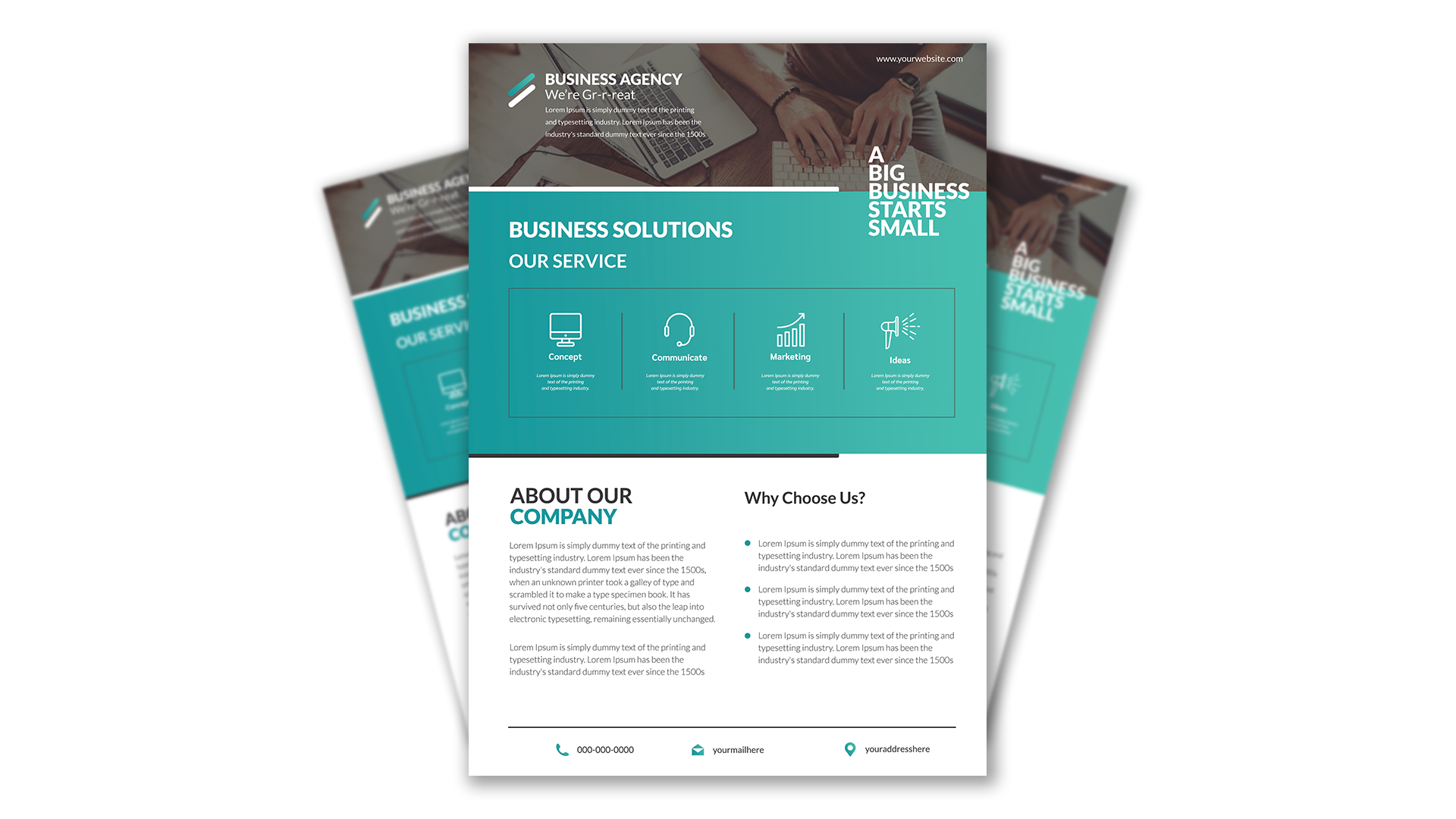
Free Brochure-Style Photoshop Flyer Template 47 is a polished business agency flyer arranged like a compact one-page brochure. It is designed for consultancies, marketing studios, startup service firms, and other professional teams that need to explain several capabilities without losing a strong visual identity. The mix of a photographic header, service overview, company introduction, reasons-to-choose section, and contact footer makes it especially suitable for agency handouts, sales leave-behinds, and downloadable company overviews.
Design details
- A wide office photograph fills the top banner, with a dark overlay supporting a white agency name, short introduction, website address, and stacked motivational statement.
- The central turquoise panel uses a subtle teal gradient and oversized white headings to create the strongest color block on the page.
- Four outlined service icons present Concept, Communicate, Marketing, and Ideas inside a bordered horizontal grid with slim dividers.
- The lower white section balances an About Our Company text column against a Why Choose Us list, followed by a restrained phone, email, and location footer.
How to use it
- Download the ZIP file and open the PSD source in Photoshop.
- Replace the agency name, website, introduction, company profile, benefits, and contact details with concise copy from your own brand.
- Swap the workspace photograph for an image that represents your team or service environment, keeping enough dark negative space for the white header text.
- Rename the four services and update their icons if necessary, then export a print-ready PDF or a web-friendly image for email and social sharing.
Download
Download free-brochurestyle-photoshop-flyer-template-21.zip“>Download Flyer-Design-Template-47.zip
Related templates
Browse the best flyer templates roundup for more one-page layouts, or visit the business flyer hub for editable designs aimed at agencies, consultants, and professional services.
FAQ
Can I edit this flyer in Photoshop?
Yes. The PSD format lets you replace the photograph, text, colors, icons, and contact information. Check the layer groups first so related brochure sections remain easy to manage.
What should I change first?
Start with the agency name and turquoise brand color, then replace the hero photograph. Next, condense your services and company copy so each block retains the clean spacing visible in the preview.
Can I use it for print and social media?
Yes. Its portrait brochure format works well as a printed sales sheet or PDF attachment. For social media, export the full flyer or crop the photo header and service panel into separate promotional graphics.







