
What this template is for
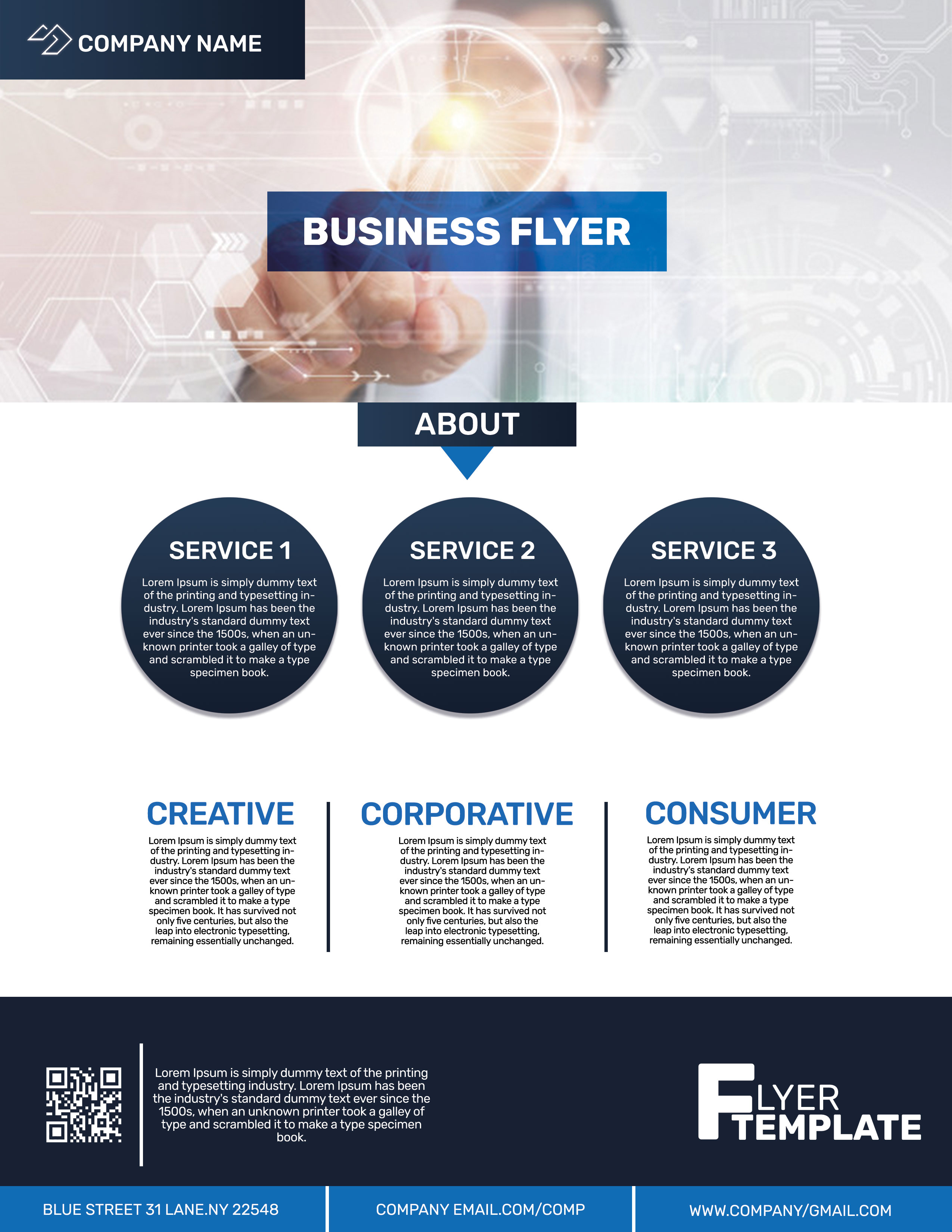
Free Corporate Business Photoshop Flyer Template 22 is a detailed one-page company flyer for presenting services, capabilities, and contact information in a structured corporate format. It suits technology consultancies, business support firms, and B2B service providers that need more room than a simple promotional poster. The composition combines a futuristic hero image with several modular information areas, making it especially useful for a company introduction, a service overview, or a handout for a trade show.
Design details
- A wide technology-themed hero photo fills the top section, with pale interface graphics and circuit patterns layered over a businessperson using a touchscreen.
- Navy and bright blue blocks create a formal corporate palette, while white space keeps the content-heavy lower half readable.
- The bold white “Business Flyer” headline sits inside a blue gradient banner, with a separate centered “About” tab below the hero.
- Three large navy circles provide equal service summaries, followed by three text columns titled Creative, Corporative, and Consumer.
- A dark footer contains a QR code, short company description, graphic wordmark, and a blue contact strip for address, email, and website details.
How to use it
- Download the ZIP file and open the PSD source in Photoshop.
- Replace the company name, logo, main headline, service labels, and supporting copy with your own brand content.
- Swap the hero image if the technology visual does not fit your field, but choose a wide photo with a clear central subject and light enough detail for the overlays.
- Update the QR code and every footer contact field, then proof the small body text at actual print size.
- Export a print-ready PDF or high-resolution image, and create a reduced version for email or online promotion if needed.
Download
Download free-corporate-business-photoshop-flyer-template-11.zip“>Download Flyer-Design-22.zip
Related templates
Browse the best flyer templates roundup for more one-page layouts, or visit the business flyer hub for editable promotional designs.
FAQ
Can I edit this flyer in Photoshop?
Yes. The PSD format is intended for Photoshop editing, including the text, colors, photos, logo area, and contact details.
What kinds of businesses fit this design?
The interface imagery and blue corporate styling work particularly well for IT services, digital transformation consultants, software firms, and technical training providers.
Can I replace the three circular service blocks?
Yes. Keep the descriptions concise and similar in length so the three circles remain visually balanced and easy to scan.







